
Getting your DStv dish alignment right starts with a free signal finder app that turns your phone into a satellite finder — no R2,000 meter required. Using your phone’s compass, GPS and tilt sensors, the app shows the exact direction and angle the dish needs, then you nudge it until the signal climbs. I’ve aligned hundreds of dishes this way, and on a ground-level mount it’s genuinely all you need. Here’s which apps work, the correct DStv satellite settings for South Africa, and how to lock the signal step by step.
- Every DStv dish in South Africa points at one satellite: Intelsat 20 (IS20) at 68.5° East — roughly north-east across the country.
- A free signal finder app reads your phone’s sensors and gives you azimuth, elevation and LNB skew for your exact town.
- The app aims the dish; your decoder confirms the lock — you want Signal Strength and Signal Quality both above 80%.
- Phone apps are perfect for re-aligns and ground-level dishes; a roof job or a stubborn signal is when to call in an accredited installer.
Can your phone really handle DStv dish alignment?
Yes — and it’s the same physics a proper installer uses. A modern smartphone already carries the three sensors a satellite finder needs: a magnetometer (digital compass) for the horizontal direction, GPS for your exact location, and an accelerometer for measuring tilt. A signal finder app reads those sensors and tells you where to aim the dish for the DStv satellite.
What it won’t do is measure the live signal coming down the cable the way a satellite meter does. For that you still read the strength on your decoder. But for getting the dish pointing in the right direction — which is 90% of the battle — your phone does the heavy lifting for free. If you’re starting from scratch with the hardware, our guide to professional satellite dish installation covers the mounting basics first.
The best free signal finder app for DStv
Two free apps do the job well in South Africa. Both read your phone’s sensors and include an augmented-reality view that overlays the satellite’s position on your camera, so you can literally see where the dish must point. There’s no “best” one — pick whichever matches your phone.
| App | Platform | Cost | Best for |
|---|---|---|---|
| Satellite Finder (iOS) | iPhone / iPad | Free + in-app extras | AR pointing & compass |
| Satfinder (Android) | Android | Free | Elevation, azimuth & LNB skew |
The workflow is the same on both
Whichever you choose, the routine doesn’t change: pick the satellite, let the app read your location, then follow the on-screen angles. The AR view is the quickest way to get the dish roughly right before you start fine-tuning.
Stand behind the dish and hold the phone flat in line with it. When the satellite marker in the AR view sits dead centre on your screen, the dish is already close — you’ll only need millimetre nudges from there to peak the signal on the decoder.
The DStv satellite position and settings for South Africa

Every DStv dish in South Africa points at one satellite: Intelsat 20 (IS20), parked at 68.5° East (satellite details on SatBeams). That fixed satellite position is why the dish always faces roughly north-east across the country. The exact angles, though, change with your town:
| Setting | What it means |
|---|---|
| Satellite | Intelsat 20 / IS20 at 68.5°E (select this in the app) |
| Azimuth | The compass direction (north-east in SA) — the horizontal aim |
| Elevation | The up-and-down tilt of the dish, in degrees |
| LNB skew | The rotation of the LNB in its holder, to match the signal polarisation |
| Dish size | An 80–90cm dish gives the most reliable signal in most areas |
The app fills in your azimuth, elevation and skew automatically once it has your location. If you want to double-check the figures for your exact address, the free satsig dish-pointing calculator lets you enter your coordinates and returns the same three numbers.
Because IS20 sits to the north and east of South Africa, the dish face has to look back up at it — not at the open sky overhead. A clear line of sight in that direction matters more than anything: a tree or wall between your dish and 68.5°E will block the signal no matter how perfect your angles are.
How to find your DStv signal using your phone
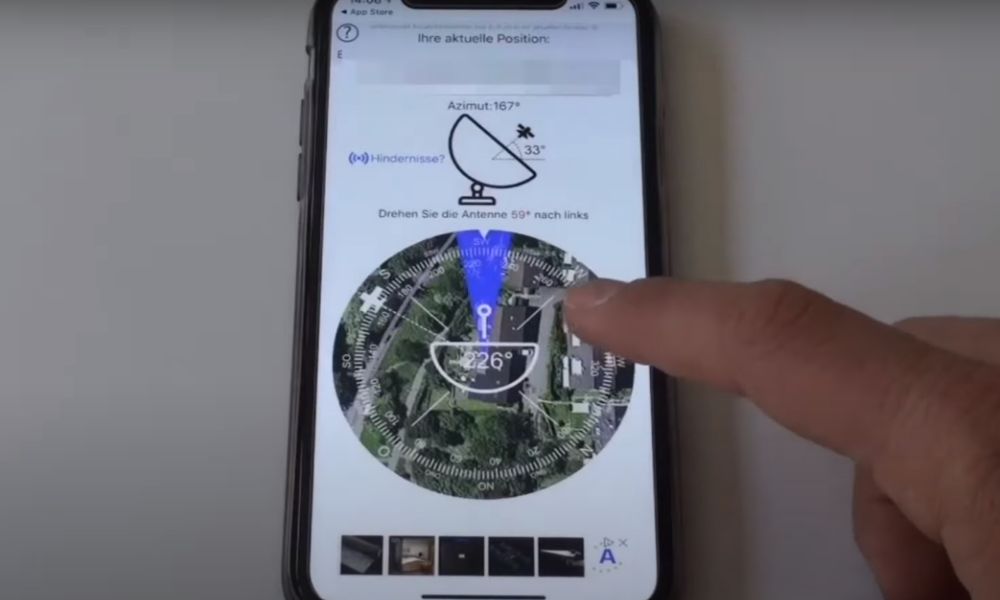
With the app installed and the dish loosely mounted, work through these steps in order — direction first, then tilt, then skew, then fine-tune:
- Select the satellite. Open the app and choose Intelsat 20 (IS20) at 68.5°E. Allow location access so the angles calculate for your spot.
- Set the azimuth (direction). Hold your phone flat and use the compass or AR view to find the north-east bearing the app shows. Loosen the dish and rotate it horizontally until it faces that line.
- Set the elevation (tilt). Match the up-down angle on the dish bracket to the elevation figure in the app. Most brackets have a degree scale stamped on the side.
- Adjust the LNB skew. Rotate the LNB in its clamp to the skew angle the app gives. This small twist often makes the difference between a weak and a locked signal.
- Fine-tune. With a helper watching the decoder, nudge the dish in tiny increments — a few millimetres at a time — until the signal reading peaks, then tighten every bolt.
Never work on a wet, steep or double-storey roof alone. Use a stable ladder footed by a second person, keep clear of overhead power lines, and don’t lean out to reach the dish — reposition the ladder instead. If the dish is anywhere you can’t stand safely, that’s the job to hand over.
Confirming the signal on your decoder
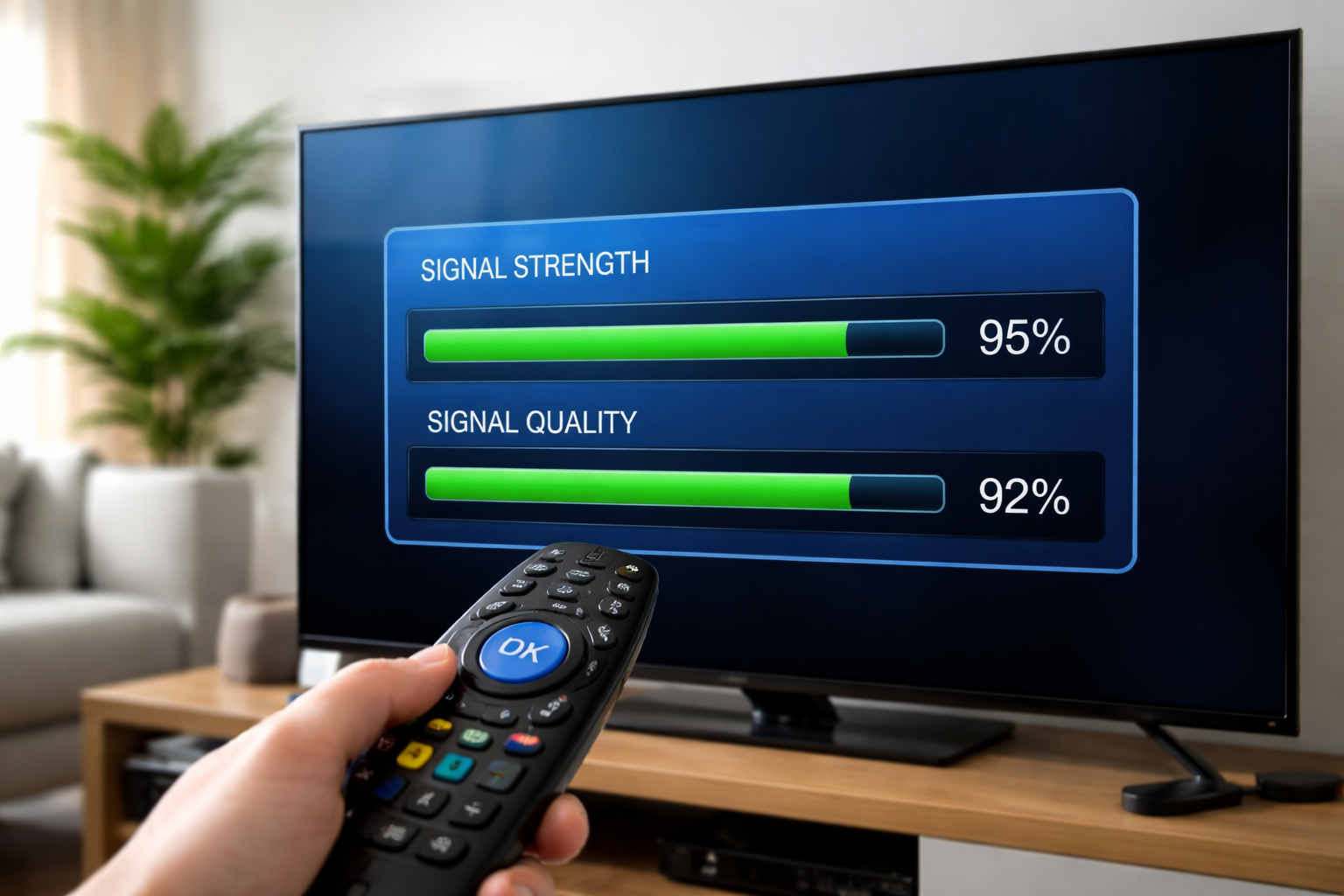
The phone aims the dish; the decoder confirms the lock. On your DStv decoder open the signal-strength screen and watch two readings while you fine-tune: Signal Strength and Signal Quality. Both should sit comfortably above 80% for stable viewing through wind and light rain. Our walkthrough on checking signal strength on your DStv decoder shows exactly where to find that screen on each model.
If you can read the dish without a separate meter at all, this short clip walks through the method:
No signal? Common problems and fixes
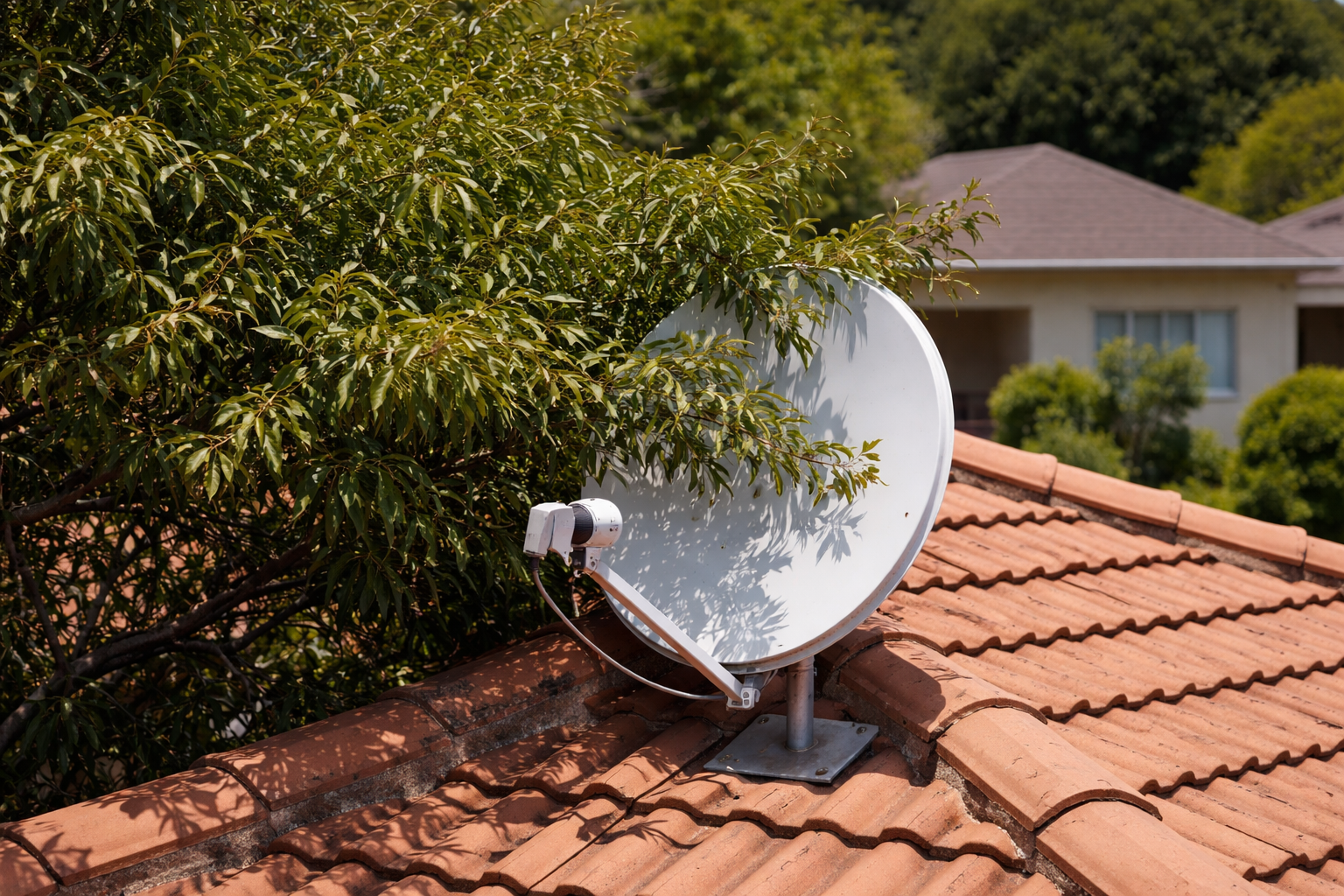
If the app shows the right angle but the decoder still reads “No Signal”, work through these before you blame the dish:
| Problem | Fix |
|---|---|
| Compass jumps around | Calibrate the phone (wave it in a figure-8) and move away from metal and the dish itself |
| App shows the angle but no signal | Re-check the LNB skew, and confirm the cable is firmly screwed to the LNB |
| Signal drops in rain | Push for a higher reading — 80%+ leaves headroom; also check for an 80–90cm dish |
| Trees or a wall in the way | The line of sight to 68.5°E must be clear — the dish may need to move to a higher spot |
| A loose or damaged LNB cable | A wet or perished cable kills the signal even when the dish is spot on — see our DStv LNB cable repair guide |
When it’s the cable, not the angle
A surprising number of “alignment” call-outs turn out to be a cable fault. If the angles are bang on and the AR view confirms a clear sightline, but the decoder stays dark, suspect the run between the LNB and the decoder before you keep wrestling the dish.
Signal finder app vs a professional satellite meter
It’s worth being honest about what a phone app can and cannot do, so you know when it’s enough and when it falls short.
| Factor | Phone app | Professional meter |
|---|---|---|
| Cost | Free | R1,500–R4,000 |
| Finds the direction | Yes — azimuth, elevation, skew | Yes |
| Reads the live signal | No — use the decoder | Yes, on the spot |
| Identifies the satellite | By position only | Confirms it is actually IS20 |
| Best for | DIY and quick re-aligns | New installs and tricky sites |
For most home re-alignments, the app plus your decoder is all you need. A meter only earns its keep on a brand-new install or a spot where several satellites sit close together and you need to be certain you’ve locked onto the right one.
When to call an accredited installer
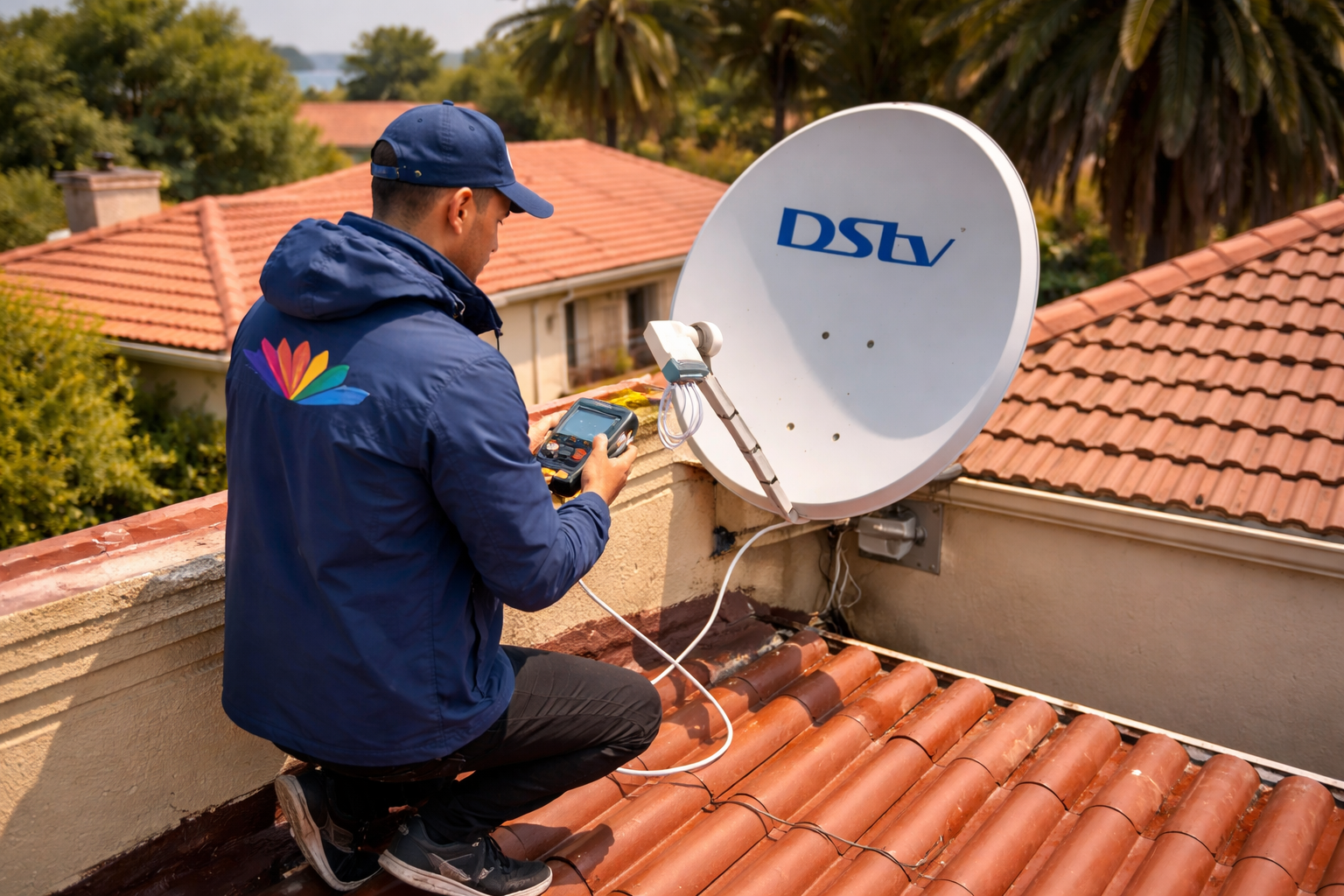
A signal finder app is brilliant for a ground-level dish or a quick re-align after a storm. But if the dish sits on a double-storey roof, the angles won’t settle, or you simply don’t fancy the ladder, that’s the moment to hand it over. Our team handling DStv installation in Centurion aligns dishes every day, carries proper meters for pinpoint accuracy, and leaves the work under warranty. You can book an accredited DStv installer from R550, and we’ll have your picture back — safely — the same day.
Frequently Asked Questions
Can I use my phone for DStv dish alignment?
Yes. A free signal finder app uses your phone’s compass, GPS and tilt sensors to show the exact direction and angle for the DStv satellite (Intelsat 20 at 68.5°E). It points the dish accurately; you then confirm the live signal on your decoder.
Is there a free signal finder app for Android?
Yes. Satfinder on Google Play is free and gives you azimuth, elevation and LNB skew with an augmented-reality view. iPhone users can use the free Satellite Finder app. Both cover the IS20 satellite position DStv uses in South Africa.
How do I find a lost DStv signal?
Open your decoder’s signal-strength screen and check the reading. If it’s low, a storm or knock has likely shifted the dish. Use a signal finder app to re-point at 68.5°E, nudge the dish until strength and quality climb back above 80%, then retighten the bolts.
What satellite position does DStv use in South Africa?
DStv in South Africa uses Intelsat 20 (IS20), parked at 68.5° East. That fixed position means every dish faces roughly north-east; only the azimuth, elevation and skew change from town to town.
Why does my satellite dish have no signal?
The usual causes are a dish knocked out of alignment, a loose or wet LNB cable, an obstruction (tree or new wall) blocking the line of sight to 68.5°E, or a faulty LNB. Re-align with the app first; if it still fails, check the cable run before anything else.
How do I find DStv signal without a satellite finder meter?
You don’t need a meter. A signal finder app aims the dish, and your decoder’s own signal-strength screen confirms the lock. Between the two you can align a dish accurately for free — the video above shows the method in a few minutes.
Further reading
Need Professional DSTV Installation?
Our accredited installers offer same-day service across South Africa.