
Knowing how to reset your DStv remote from 2 to 1 is the fix you need when one remote starts changing channels on both decoders at once. This happens because the remote is set to MultiView mode and is talking to your secondary decoder as well as your primary one. The good news is that switching it back to control a single decoder takes under a minute, no tools and no call-out. Here is the full walkthrough.
- A DStv remote controls two decoders because the MultiView (TV1/TV2) feature is switched on — resetting it from 2 to 1 returns control to a single decoder.
- Turn off the secondary decoder first so the reset only affects the primary one.
- Put the remote into TV1 mode, then hold the button combination until the TV1 and TV2 lights flash, and release.
- If nothing responds, the cause is almost always flat batteries or pointing the remote away from the decoder.
- The process is written for the common RCU remote (B5 model); other models follow a near-identical sequence.
Why Your DStv Remote Controls Two Decoders
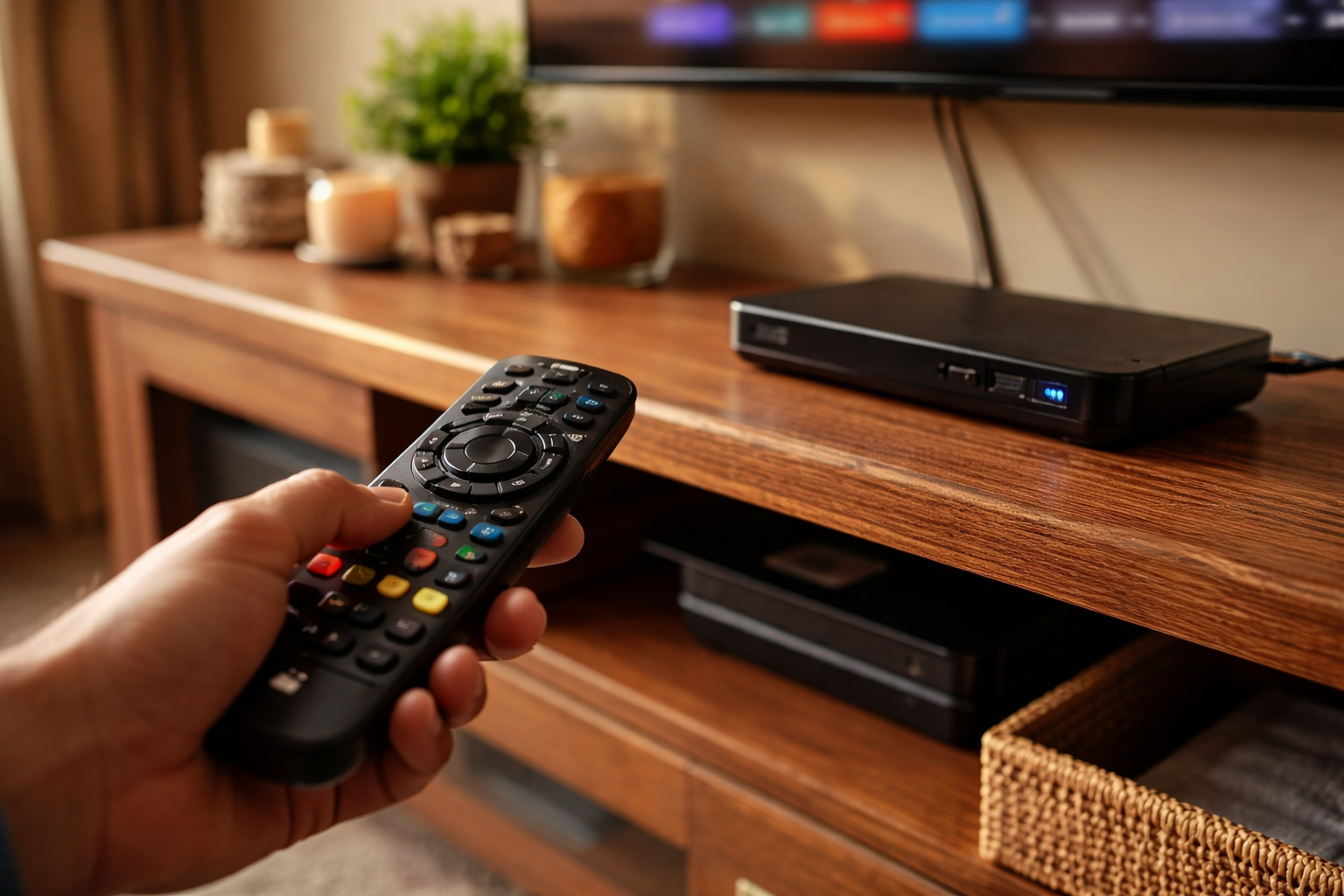
Your DStv remote has a built-in feature called MultiView, sometimes labelled as TV1 and TV2 on the handset. It lets a single remote control two separate DStv decoders, which is genuinely useful in a home with more than one decoder — you can switch between the lounge and bedroom setups without juggling two remotes. The trade-off is that when both modes are active, a button press can change channels or settings on the decoder you did not mean to touch.
When that starts happening, the remote is sitting in the two-decoder state and you want it back on one. Resetting it from 2 to 1 simply tells the remote to stop pairing with the secondary decoder and respond only to your primary one. Nothing is broken — it is a setting, and you can turn it on again later if you ever want dual control back.
Identifying Your RCU Remote Version
Before you reset anything, it helps to know which remote you are holding. DStv has shipped several remote models over the years, and the button layout differs slightly between them. The reset sequence is broadly the same, but the exact buttons can move around.
This guide focuses on the common DStv RCU remote, specifically the B5 model that ships with many Explora and HD decoders. If your remote does not match the steps below, the same idea applies — find the mode buttons and the combination that flashes both lights — but always check the printed manual for your specific handset.
What to Do Before You Reset the Remote
A few seconds of prep saves you from a reset that does not stick. The single most important step is dealing with the secondary decoder, because that is the one the remote needs to let go of.
Turn off the secondary decoder
Switch off the secondary decoder completely before you begin. This makes sure the reset only affects your primary decoder and the remote does not re-pair with the second one mid-process. Switch it off at the unit or at the wall — either works, as long as it is genuinely off and not just on standby.
Check the basics
- Batteries — make sure the remote has fresh, working batteries. A weak battery is the most common reason a reset appears to fail.
- Line of sight — stand within a couple of metres of the primary decoder and point the remote straight at it.
- Clear the front — nothing should be blocking the infrared sensor on the front of the decoder.
How to Reset DStv Remote From 2 to 1: Step by Step
With the secondary decoder off and the remote ready, you can change the DStv remote back to TV1 in three steps. Take them in order and watch the mode lights — they tell you exactly where you are in the process.
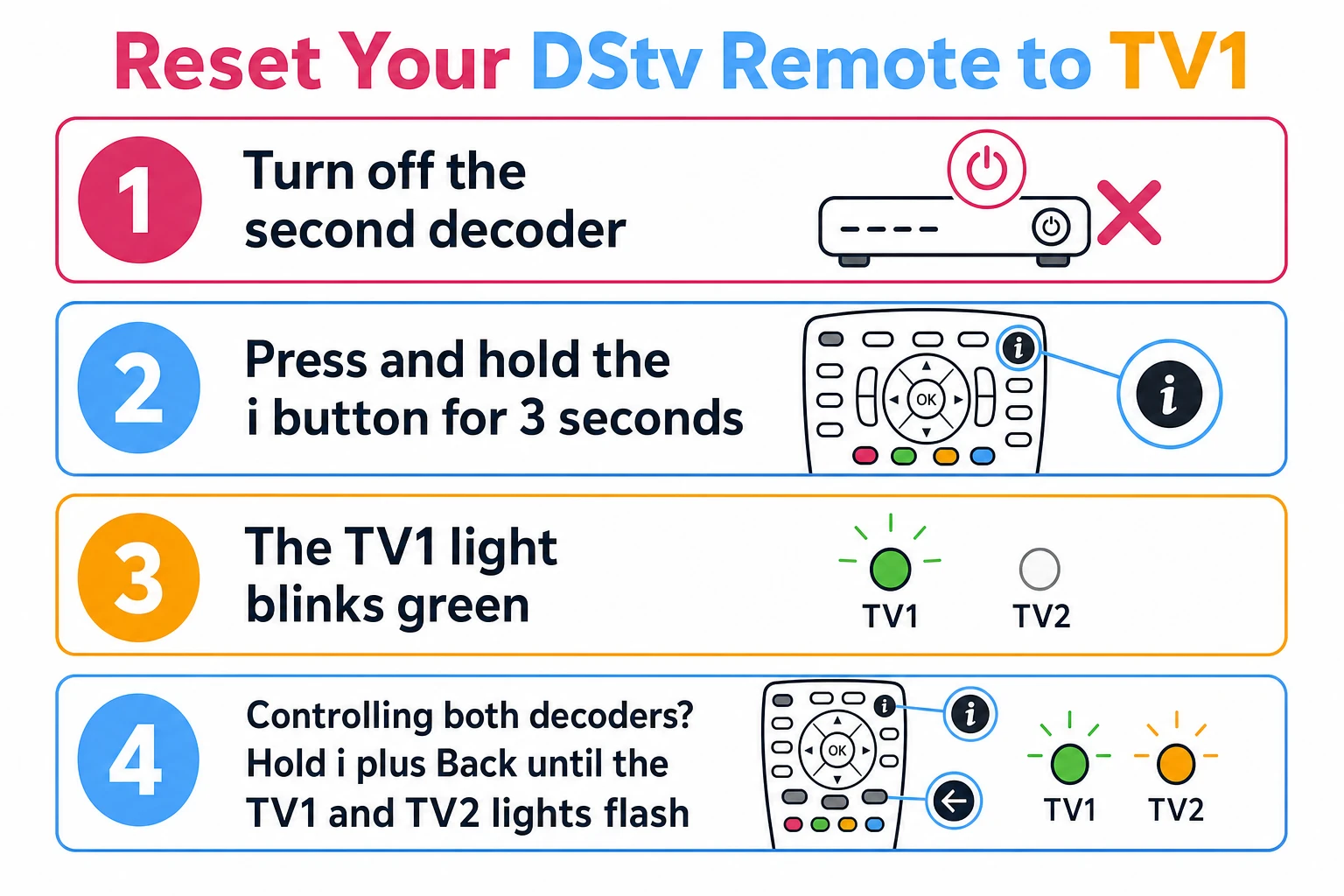
Step 1: Put the remote in TV1 mode
Make sure the DStv remote is in TV1 mode. You can tell because the LED next to the TV1 label glows when you press a button. If the TV2 light is the one lighting up instead, you are still in the secondary mode and need to switch across before continuing.
Step 2: Hold the reset button combination
Press and hold the i button and the Back arrow button at the same time. Keep them held until the TV1 and TV2 mode lights start flashing alternately. This alternating flash is the signal that the remote has accepted the reset command.
Step 3: Release and confirm
Release both buttons. The lights will flash a few more times and then switch off. Your DStv remote should now control only your primary decoder. Test it by changing a channel — if only the primary decoder responds, the reset has worked.
RCU Remote Reset Sequence at a Glance
The table below summarises the button sequence for the B5 RCU remote so you can run the reset without scrolling back through the steps. Treat the key combination as the model-specific bit — it is the part most likely to differ on other handsets.
| Stage | Action | What you should see |
|---|---|---|
| Prepare | Switch off the secondary decoder | Secondary unit fully off (not standby) |
| Step 1 | Put remote in TV1 mode | TV1 LED glows on a button press |
| Step 2 | Hold the i button and Back arrow together | TV1 and TV2 lights flash alternately |
| Step 3 | Release both buttons | Lights flash a few more times, then go out |
| Confirm | Change a channel | Only the primary decoder responds |
If your remote is a different RCU model, look for an equivalent mode button and a two-button hold that produces the alternating flash. The logic is identical across the range, even where the labels move.
Video: a quick visual run-through of the DStv remote reset.
Troubleshooting a DStv Remote That Will Not Reset
Most of the time the steps above work first try. When they do not, the cause is usually one of a small handful of things — work through these before assuming the remote is faulty.
No response from the remote
If pressing the buttons does nothing at all, start with the batteries — a flat or weak set is by far the most common culprit. Swap in a fresh pair, then point the remote directly at the decoder from close range and try again. Also check that nothing is covering the sensor on the front of the decoder.
The remote still controls both decoders
If both decoders are still responding after the reset, the secondary decoder was almost certainly still on or in standby during the process. Switch it off completely, then run the three steps again from the start. If it still will not separate, the issue may sit with the decoder rather than the remote — a unit that behaves oddly or refuses commands can point to a deeper fault, and our DStv decoder repairs can sort it out.
When the Problem Is the Decoder, Not the Remote
A remote that will not reset is sometimes a symptom of something else. If your decoder freezes, ignores commands, or behaves erratically no matter which remote you use, the remote reset will not fix it. The same goes for a decoder that will not start at all — that is a hardware issue, and our guide on a decoder that will not switch on walks through the checks.
If you have just set up a new decoder and the remote is misbehaving from the start, it is worth confirming the basic setup first. Our walkthrough on how to connect your decoder to the TV covers the cabling and input selection that need to be right before the remote will work properly. For anything beyond a quick fix — repeated faults, signal trouble or rooftop work — you can get DStv installation help from an accredited installer, including our team handling DStv installation in Boksburg.
Frequently Asked Questions
Can I reset my DStv remote to control both decoders again?
Yes. Repeat the same button combination with the secondary decoder switched on, and the remote will re-pair with both decoders, enabling MultiView again.
Why does my DStv remote control both decoders?
This is the MultiView feature, which is enabled by default on most DStv remotes. It lets one remote control two decoders at once, which is handy until you only want to control one.
Can I use this guide for other DStv remote versions?
The steps are written for the B5 RCU remote, but the process is very similar across the range. If the buttons differ on your handset, check the printed manual for the exact combination.
My remote is not responding after the reset — what now?
Check the batteries first, then make sure you are pointing the remote directly at the decoder. If it still does nothing, contact DStv support.
Can one remote control two decoders in different rooms?
Yes. The MultiView feature lets a DStv remote control two decoders, including ones in separate rooms, provided both are paired with the handset.
Further reading
Need Professional DSTV Installation?
Our accredited installers offer same-day service across South Africa.