
To restore missing channels on DStv, you usually need to fix one of four things: a weak signal, a loose cable, an unpaid subscription, or a stuck error code. We see all four every week on call-outs across South Africa. Most of the time you can sort it yourself in a few minutes by checking your signal, rescanning, or clearing an error. This guide walks through each fix in the order I'd try them on a real job.
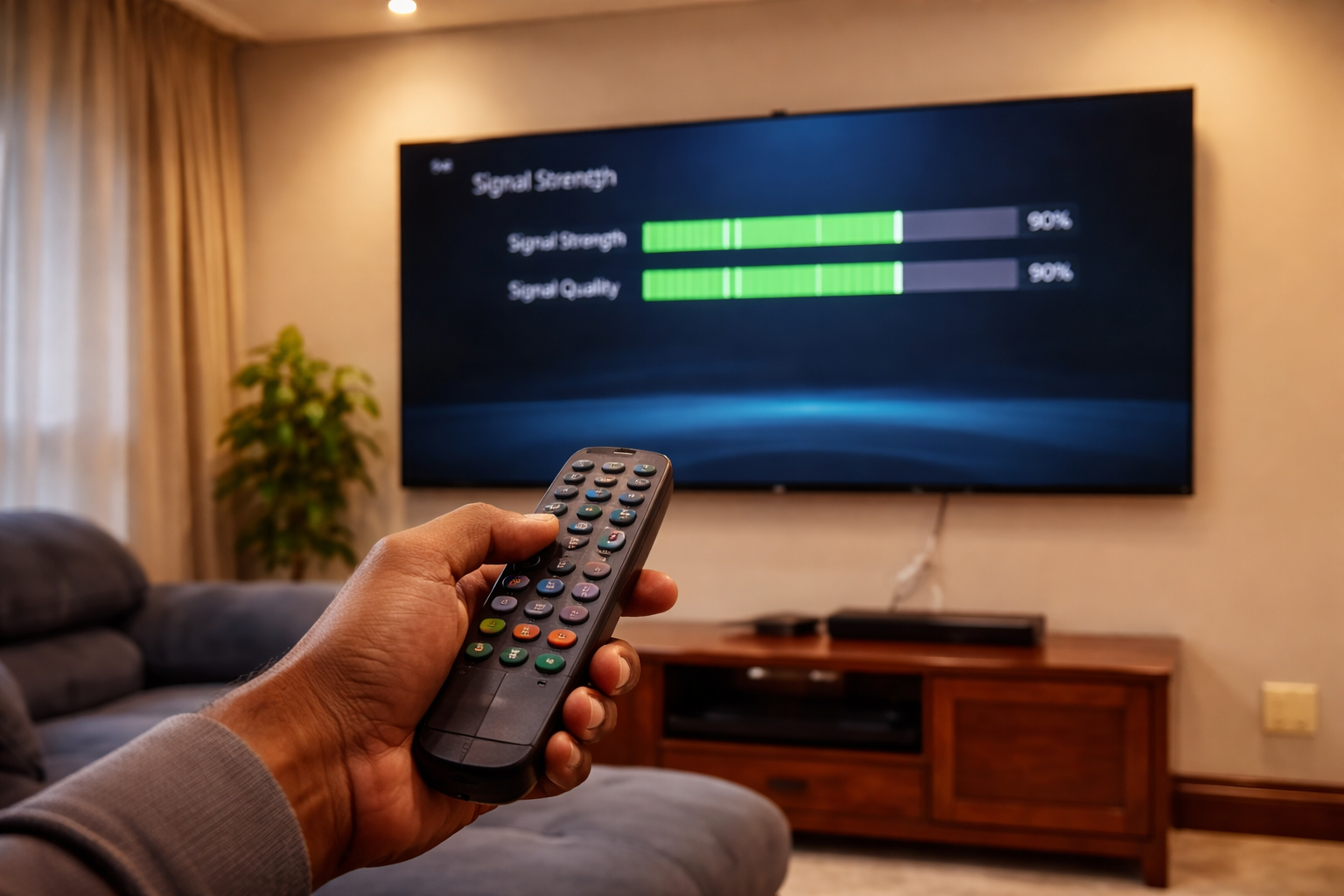
- Signal strength and quality should both sit at 60% or higher; below that, channels drop out.
- A rescan via Menu › Advanced Options › Dish Installation re-reads the satellite and pulls back lost channels.
- Channels missing right after a payment usually clear once you reset the decoder from the MyDStv app or by SMS.
- An on-screen error code tells you the exact fault — read it before assuming the dish is to blame.
- If signal stays low after a rescan, the dish alignment or LNB likely needs a technician.
Check Signal Strength and Quality First
Poor signal strength or quality is one of the most common reasons for missing channels on DStv. If your decoder cannot receive a strong signal, it will not display all the channels on your package. This is the first thing I check on every call-out, because it rules out the dish before you start touching anything else.
To check the signal, go to Menu, then Advanced Options, then Dish Installation. You will see the Signal Strength and Signal Quality bars there. Both bars should read at least 60% or more for the service to run properly.
What to do if the signal is low
- Make sure your satellite dish is correctly aligned — contact your installer or service provider if it has shifted.
- Check for anything blocking the satellite's line of sight, such as trees, new buildings, or a washing line.
- Make sure the decoder itself is not blocked and that no cables have worked loose behind it.
If the signal stays low even in clear weather, the alignment or LNB is the likely culprit, and that is where a proper realignment helps. Our decoder repair and replacement service covers signal and hardware faults that you cannot fix from the remote.
Check Cables and Connections
Another reason channels go missing on DStv is faulty cables or loose connections. A single cable that has worked its way out of a port can knock out a whole band of channels, and it is one of the quickest things to rule out before you go further.
Check every cable running to both your decoder and your satellite dish. Make sure each one is plugged in securely, with no visible damage or cuts in the wire insulation. If you find a cable that is damaged or a connector that does not sit firmly, replace it.
Where loose connections usually hide
- The coax cable at the back of the decoder — finger-tighten it, don't over-torque.
- The wall plate or splitter where the dish cable enters the room.
- The LNB connection up at the dish, which can loosen over years of sun and wind.
Restart and Rescan the Decoder
Sometimes a simple restart fixes missing channels on DStv. Restarting lets the decoder re-establish its connection with the satellite and refresh its system settings. Switch off both your TV and decoder at the same time, leave them off for about 10 seconds, then power them back on.
After restarting, wait 10 minutes before checking whether the channels are back. If they still are not appearing, give it a little longer before moving to the next step.
How to rescan DStv channels
If a restart alone does not bring the channels back, a rescan forces the decoder to re-read everything coming off the satellite. Go to Menu, then Advanced Options, then Dish Installation, and run the scan from there. This is the single most effective remote-only fix for missing channels, because it rebuilds the channel list from scratch.
Channels Not Showing After Payment
One of the most common reasons for missing channels on DStv is a payment issue. If your subscription has lapsed, or a payment has not cleared, some or all of your channels will disappear until the account is settled. This catches a lot of people right after they have paid, when they expect everything to come straight back.
Why a paid account can still show no channels
DStv needs your payment to reflect on the account before it restores viewing, and processing times vary by payment method. Even once it reflects, the decoder sometimes needs a nudge to pull the new authorisation down from the satellite. That nudge is a reset.
How to fix it
- Reset by SMS: Send the word RESET followed by your smartcard number to 33788. This refreshes your account and is the fastest way to bring channels back after a payment clears.
- Check the payment cleared: Confirm the payment actually went through and reflects on your account before assuming a fault.
- Update payment details: If a card or debit order failed, update it via the DStv website or app, then reset again.
Clearing Error Codes and No-Channel Faults
If your decoder shows an error code on the screen, that code tells you exactly what is wrong. The DStv website lists each code and its meaning, and clearing the right one often restores the channels without any further work. Do not assume the dish is faulty until you have read the code — many "no channels" faults are just a stuck authorisation.
Common error codes you'll see
| Error | What it usually means | First fix to try |
|---|---|---|
| E16 | Channel not in your package, or a scrambled / authorisation issue | Confirm your subscription, then reset via Self-Service |
| No channels / blank list | Channel list lost or signal interrupted | Restart, then rescan via Dish Installation |
| No signal | Dish, cable, or LNB fault | Check cables, then check signal bars |
Two ways to clear an error code
- Clear by SMS: Send RESET followed by your smartcard number to 33788. This clears outstanding error codes tied to your account.
- Clear via Self-Service: Log in to Self-Service on the DStv website, go to Fix Errors, select Clear Error Codes, and follow the prompts.
If a code keeps returning after you clear it, the problem is usually hardware rather than the account. For a deeper read on what each message means, our guide to DStv error codes and their meanings breaks them down one by one. And if you are seeing a content lock rather than a fault, here is how to remove a PG-blocked message on DStv.
Resetting Decoder Settings
If nothing above works, resetting your decoder settings may restore the missing channels. This is a heavier step, so keep it for last. Resetting can erase saved channels and any recordings on the decoder, so only do it once the simpler fixes have failed.
How to reset your decoder
- Using your remote: Press Menu, select Advanced Options, then Dish Installation, then Restore Default, and follow the prompts.
- Via Self-Service: Log in to Self-Service on the DStv website, go to My Account, select I Want To, then Reset Decoder, and follow the prompts.
After a reset, run a fresh rescan so the decoder rebuilds the full channel list. If channels are still missing once you have worked through every step here, the fault is almost certainly at the dish, LNB, or decoder hardware, and that needs hands-on attention rather than another menu.
When to Call an Installer
Most missing-channel problems clear with a signal check, a rescan, a reset, or a cleared error code. But some faults are not a remote-control job. If you have tried everything above and the channels are still gone, it is time to bring in someone who can get on the roof safely and test the hardware properly.
Signs the fault needs a technician
- Signal stays below 60% even in clear weather after a rescan.
- An error code returns straight after you clear it.
- The dish has visibly shifted, sagged, or taken a knock in a storm.
- Channels drop out intermittently with no pattern.
When you do call DStv or one of our DStv installers in Pretoria, have your smartcard number and package details ready, and describe exactly what the screen shows. The clearer you are, the faster it gets sorted. If you would rather have an accredited team handle it from the start, you can reach us through our DStv installation site to book a visit.
Frequently Asked Questions
How do I restore missing channels on DStv?
Power-cycle the decoder at the wall for 30 seconds first, which recovers most cases. If channels are still missing, the decoder needs a fresh scan from the installation menu, and the smartcard needs to be seated properly.
Why are SABC channels not working on my DStv?
SABC channels are carried on your DStv bouquet and drop off for the same reasons any channel does — a partial signal loss, a failed scan, or a subscription issue. If only the SABC channels are missing and everything else plays, run a fresh scan before contacting anyone.
Why is SABC 1 not playing on DStv?
A single missing channel is usually a scan or signal-margin problem rather than a subscription one. Re-scan the decoder, then check your signal strength — a marginal signal drops the weakest channels first while stronger ones keep playing.
Do I lose channels if my subscription lapses?
Yes, and the decoder tells you so with a subscription error such as E16 or E17 rather than simply blanking the channel. If you see one of those codes, the fix is payment and a refresh, not a re-scan.
Will a re-scan delete my recordings?
No. Scanning rebuilds the channel list only. Recordings on an Explora hard drive are untouched by a channel scan.
Need Professional DSTV Installation?
Our accredited installers offer same-day service across South Africa.