
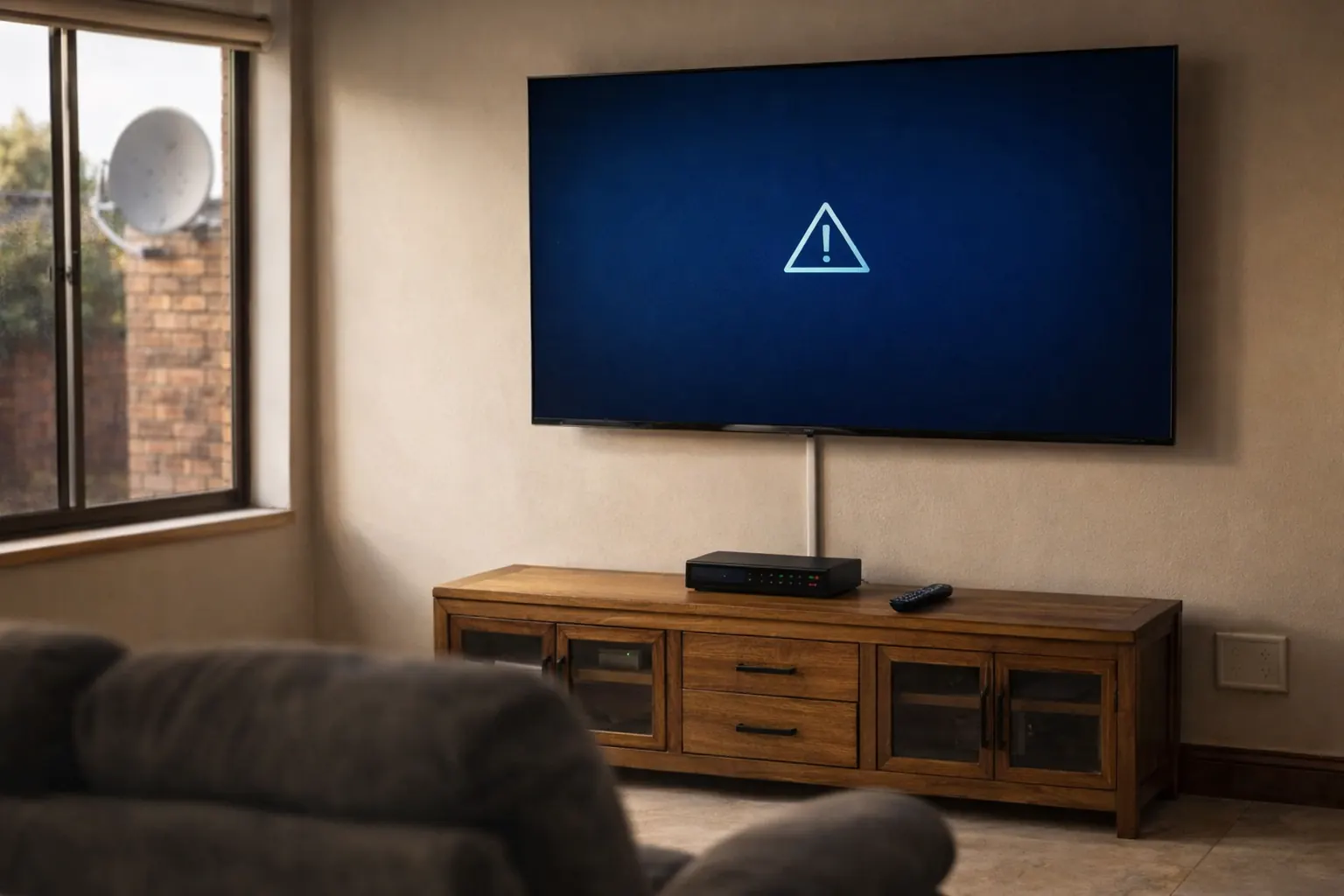
An E48-32 error on your DStv means the decoder has stopped seeing a usable signal from the dish. It is the same underlying fault whether your screen says “No Signal”, “Searching for signal”, or shows the E48-32 code outright — something between the satellite and the back of your decoder has broken the chain. In this guide I work through it the way I do on a call-out: cheapest and most likely first, roof last.
- E48-32 is a signal fault, not a payment or smartcard fault. Paying your account will not clear it.
- Work in order: power-cycle, then cable and LNB connections, then obstructions, then alignment. Most call-outs I attend are resolved at the cable stage.
- A dish that worked yesterday and fails today is usually a loose or corroded F-connector, not a dish that has moved.
- Heavy rain causing a brief dropout is normal and clears itself. Rain that kills the signal every time points at a marginal alignment.
- If the signal returns when you wiggle the cable at the back of the decoder, replace that connector — do not tape it and hope.
What the E48-32 error on DStv actually means
E48-32 is DStv’s code for “there is no signal”. In plain terms: the decoder is powered, it is working, it knows what it is looking for — and it cannot find it. That is genuinely useful information, because it rules out a whole category of problems. Your subscription, your smartcard and your channel package are all irrelevant to E48-32. If those were the issue you would be looking at an E16, E17 or E04-4 instead. You can check the full list of other DStv error codes if your screen is showing something different.
What remains is the physical chain: satellite → dish reflector → LNB → coax cable → wall plate → decoder. E48-32 means one link in that chain is broken, and the whole job is finding which one.
Before you touch the dish, note whether the failure was sudden or gradual. Sudden total loss points at a cable, connector or LNB. A picture that has been breaking up for weeks and has now gone completely points at alignment or a dish that is slowly working loose on its bracket.
Why your DStv says no signal or has lost signal
These are the causes I actually find, ordered by how often they turn out to be the culprit rather than by how dramatic they sound.
| Cause | Tell-tale sign | First fix |
|---|---|---|
| Loose or corroded F-connector | Signal flickers back when the cable is moved | Re-terminate the connector on fresh cable |
| Water in the coax or LNB | Started after heavy rain and never recovered | Replace the affected cable run and seal the entry |
| Failed LNB | Zero signal on every tuner and every channel | Swap the LNB and re-check lock |
| Dish knocked out of alignment | Followed wind, a ladder, painters or a new gutter | Re-align to the correct satellite position |
| New obstruction in the line of sight | Degraded slowly over months | Trim the growth or relocate the dish |
| Decoder reset to default LNB settings | Follows a power event or a factory reset | Restore the correct LNB type in the dish setup menu |
| Power outage mid-update | Decoder came back different after an outage | Power-cycle cleanly, then re-scan |
| Failed decoder tuner | Known-good cable and LNB still give no lock | Workshop diagnosis — the decoder is the fault |
Two of those deserve a warning, because they are where DIY attempts turn expensive.
Do not loosen the dish bolts to “have a look” unless you can get the alignment back. A dish that was merely dirty becomes a dish that needs a full re-align, and on a double-storey roof that is no longer a job you can finish from a step-ladder.
How to fix the E48-32 error on DStv, step by step
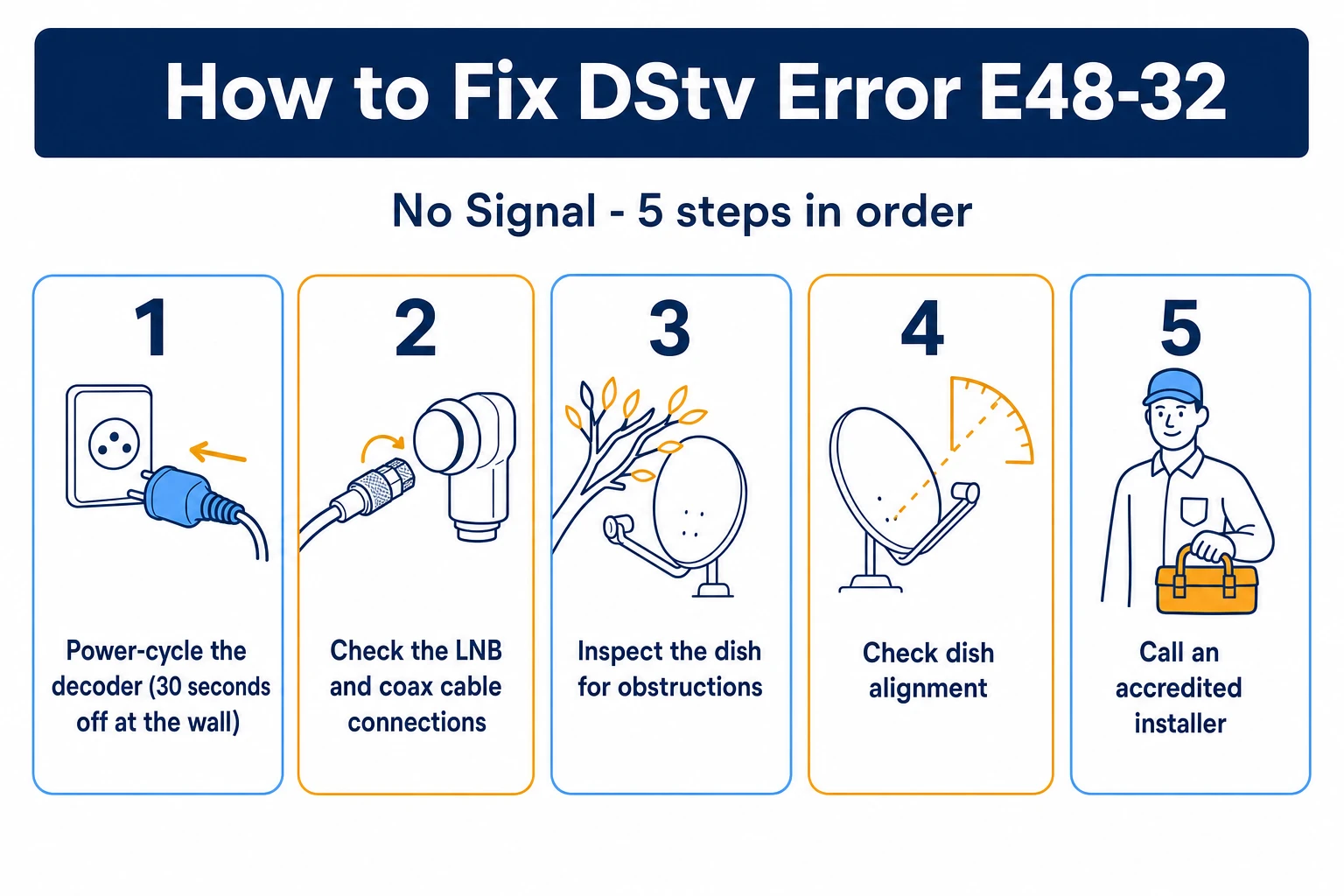
Work these in order and stop as soon as the picture returns. Every step is something you can do without tools you would have to buy.
Step 1: Power-cycle the decoder properly
Switch the decoder off at the wall socket, not just on the remote, and leave it off for a full 30 seconds before switching it back on. That drains the standby circuit and forces a clean boot with a fresh signal scan. It sounds trivial and it clears a real share of E48-32 errors, particularly after a power outage. Give it two or three minutes to re-acquire before you decide it has not worked.
Step 2: Check the LNB and coax connections
Start at the back of the decoder, where you can reach. Unscrew the coax connector, look at the centre pin — it should be straight, clean and proud of the insulation, not bent, green or recessed — then screw it back on finger-tight plus a nudge. Do the same at the wall plate. If the picture returns while you are handling the cable, you have found your fault and that connector needs replacing rather than re-seating. This is the single most common cause I attend, and it is worth being thorough about the LNB cable connections at the dish end too, where weather does the most damage.
Step 3: Look for new obstructions in the dish’s line of sight
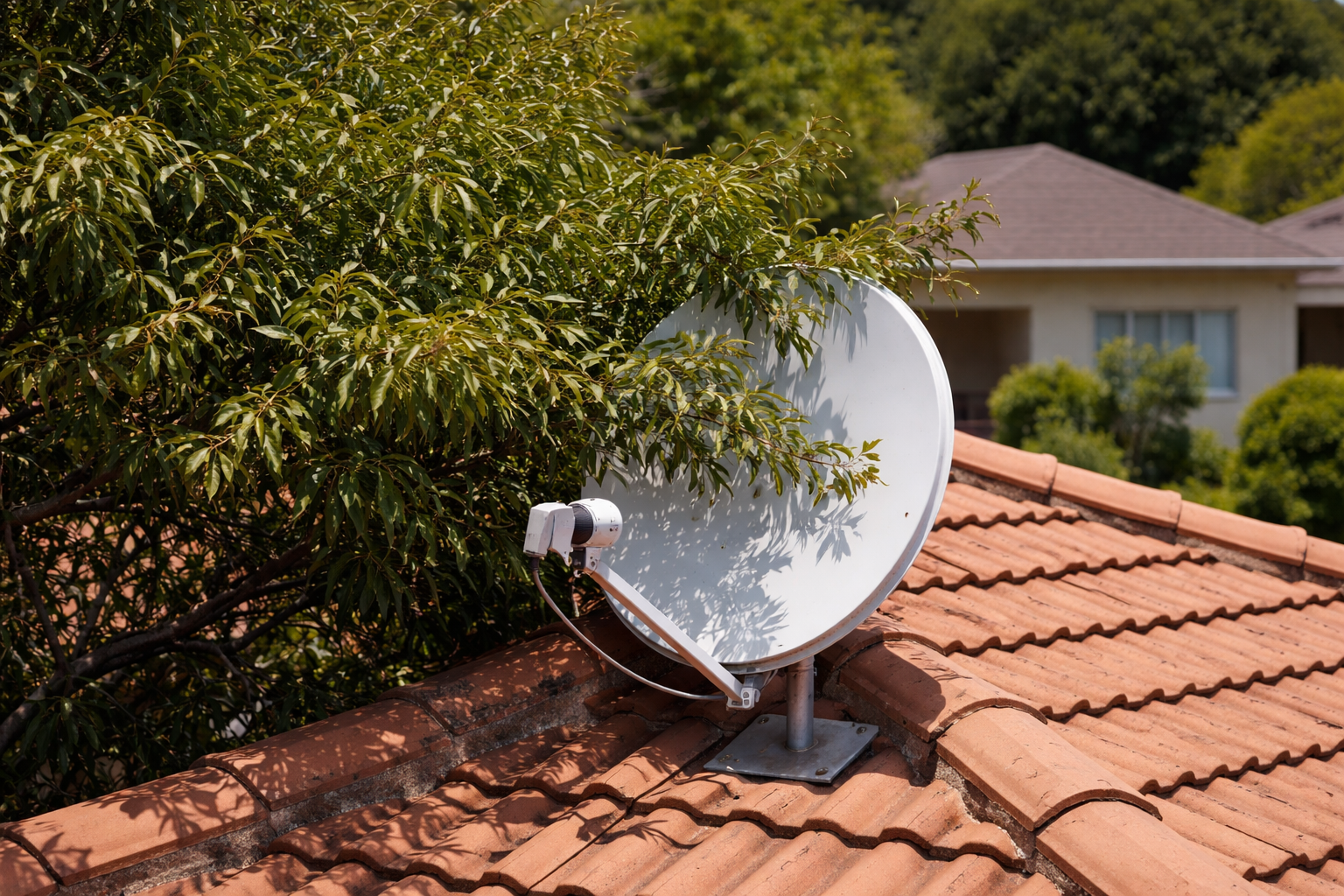
Stand behind the dish and sight along the direction it points. You are looking for anything new: a branch that has grown into the path, a neighbour’s wall, a palm frond, a satellite dish someone else has just mounted. South African summers grow trees faster than people expect, and a dish that was clear in winter can be half-blocked by February.
Step 4: Check the dish alignment
If the cable is sound and the path is clear, the dish itself may have drifted. Wind, a knocked ladder or a loosening bracket will do it, and it takes surprisingly little movement to lose lock entirely. You can get a long way with a phone app before committing to a proper re-align — see the walkthrough on how to align your dish using your phone. If you want to confirm what the decoder is seeing while you work, that is a job for the on-decoder meter, and it is worth knowing how to check your DStv signal strength properly before you start moving anything.
Step 5: Call an accredited installer
If you have a clean power-cycle, sound connectors, a clear line of sight and the dish has not moved, the fault is in hardware — the LNB or the decoder’s tuner — and swapping parts by guesswork gets costly. That is the point to book someone with a signal meter. Our minimum call-out fee is R550, and you can reach us on 077 454 4032. If the diagnosis lands on the decoder rather than the dish, DStv decoder repairs are usually cheaper than a replacement.
How to clear E48-32 on a DStv Explora
The Explora adds one wrinkle: it holds its own satellite profile, and a hard power event can drop it back to defaults that do not match your installation. The symptom is distinctive — the decoder is clearly healthy, the cable is fine, but it will not lock on anything.
On an Explora 3A, 3B or Explora Ultra, press Menu, go to Settings, then Satellite Settings, and open the Installation Wizard. South African installations point at IS-20 at 68.5°E, so check that first. Then check the LNB setting matches the hardware actually on your dish: if you have a DStv Smart LNB — what most current Explora installs use — take the quick setup path. If you have an older single, twin or quad LNB, use the manual setup and select universal. The wizard shows live signal strength and quality bars as you go; never accept a scan while those bars are red or jumping. Once it locks, the Explora should settle within a minute or two. If it locks and then loses signal again within a day, you have a marginal connection somewhere that the reset merely exposed — go back to Step 2.
A short dropout during a heavy thunderstorm is not a fault. Rain fade is physics, and it clears when the cell passes. What is not normal is losing the picture in ordinary drizzle — that means your signal margin is already too thin, and the dish needs attention before the next storm takes it out completely.
“This function cannot be performed as the signal strength is poor”
This message trips people up because it appears when you try to do something else entirely — add a channel, run a scan, complete a setup step — and it looks like a separate fault. It is not. It is the same signal problem as E48-32, caught at a different moment. The decoder is refusing the action because it has nothing solid to work with. Fix the signal path using the five steps above and the message stops appearing on its own; there is no separate setting to change.
When no signal means a decoder fault rather than a dish fault
There is a quick test that separates the two, and it saves a wasted trip up a ladder. If you have a second decoder in the house on the same dish, or a neighbour on the same complex install, compare them. Both dead points at the dish, the LNB or the shared cabling. One dead and one fine points at the failing decoder, its tuner or the cable run to that specific room.
Age matters too. A decoder that has been through years of South African power cycling will eventually lose its tuner, and the failure looks exactly like a dish problem from the couch. If the decoder is also running hot, taking a long time to boot, or dropping out in warm weather, treat that as a decoder fault and stop investigating the dish. And if it will not start at all, that is a power-side fault rather than a signal one — no amount of dish work will fix it.
What a call-out costs and when it is worth booking
It is worth being honest about the economics. If the fix is a connector, you can do it yourself with a crimp tool for the price of a takeaway. If it is alignment on a single-storey roof with a phone app and some patience, that is a Saturday morning. Book someone when the roof is high or steep, when you have run out of steps and are into guessing, or when the answer is going to be a part swap and you would rather it be diagnosed than gambled on.
Our minimum call-out is R550 and covers the diagnosis, so you find out what is actually wrong rather than paying for a replacement you may not need. We cover Gauteng and beyond — including DStv installers in Roodepoort — and most signal faults are a same-visit fix once someone is on site with a meter.
Frequently Asked Questions
What does E48-32 mean on DStv?
It means the decoder has lost the signal coming from the satellite dish. It is a signal-path fault, so the cause is somewhere between the dish and the back of the decoder — a cable, connector, LNB, obstruction or alignment problem. It has nothing to do with your subscription or smartcard.
How do I get my DStv signal back?
Switch the decoder off at the wall for 30 seconds and back on, then check that the coax connectors at the decoder and wall plate are clean and tight. If that does not restore it, check for new obstructions in front of the dish, then check the dish alignment. If all four are sound, the fault is hardware and needs a meter to diagnose.
How do I clear the E48-32 error on a DStv Explora?
Power-cycle at the wall first. If it persists, press Menu, go to Settings, then Satellite Settings, and open the Installation Wizard. Confirm the satellite is IS-20 at 68.5°E and that the LNB setting matches your hardware — quick setup for a Smart LNB, manual setup and universal for an older single, twin or quad LNB. Then run a fresh scan.
Why does my DStv lose signal when it rains?
Brief dropouts in heavy rain are normal and clear on their own. Losing signal in light rain is not — it means your signal margin is already marginal, usually from slightly-off alignment, a partly-blocked line of sight or water getting into a cable. That needs fixing before it fails completely.
Can load shedding or a power outage cause E48-32?
Yes, indirectly. An outage can interrupt the decoder mid-update or reset its dish settings to defaults that do not match your install. A clean power-cycle usually recovers it; if not, check the LNB type in the installation menu before assuming the dish has moved.
How do I know if my LNB is faulty?
A failed LNB gives zero signal on every channel and every tuner, and it will not improve no matter how the dish is aimed. If the cable and connectors test good and the line of sight is clear but there is still no lock at all, the LNB is the most likely part — but confirm it with a meter before buying one.
Will paying my DStv account fix a no-signal error?
No. Payment and subscription problems produce different codes such as E16, E17 or E30. E48-32 is purely a signal fault, so an account payment will not change anything on screen.
How much does it cost to fix a DStv no-signal problem?
Our minimum call-out fee is R550, which includes diagnosing the fault so you know whether you are paying for a connector, an LNB, an alignment or a decoder repair. Many signal faults are resolved in the same visit.
Further reading
Need Professional DSTV Installation?
Our accredited installers offer same-day service across South Africa.